Workforce Management Software for India: 8 Platforms Reviewed

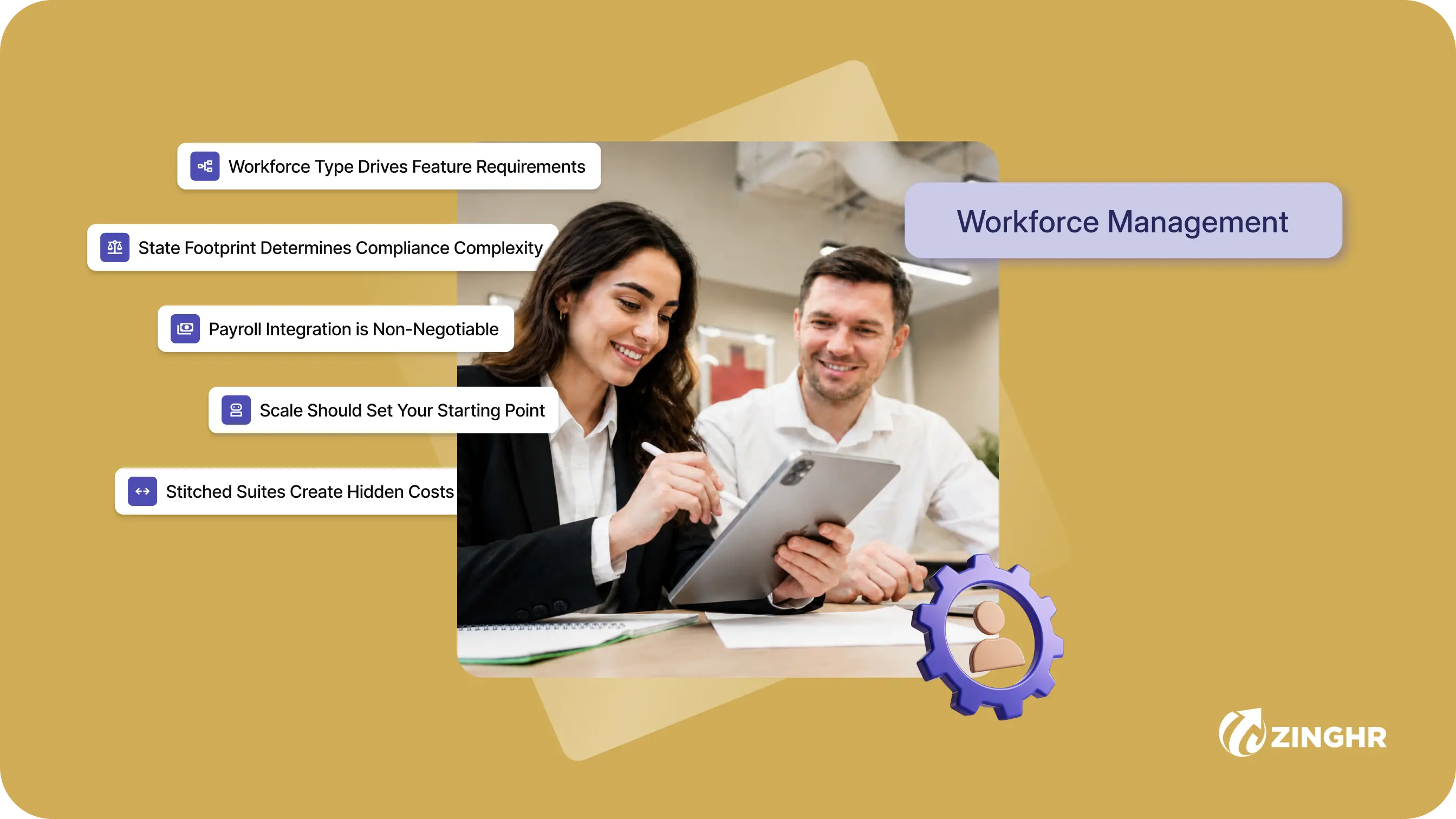
Table of contents
One unstitched HR platform to manage your entire workforce, from Hire to Re-Hire.
Talent Management solutions built for growing and exceptional people
Built-in compliance tools that update with changing regulations
Automated payroll, attendance, and leave management
Insights that help HR leaders make faster, better decisions

Key Takeaways
- ZingHR is the top pick for enterprises managing 1,000+ employees across multiple locations. Geo-fenced attendance, AI-driven shift scheduling, and zero-touch payroll sync operate from a single command centre backed by agentic intelligence through GHROWTH.
- We reviewed eight workforce management software platforms on scheduling depth, payroll integration, compliance readiness, and analytics capability.
- Indian businesses contend with multi-state labour laws, rotating factory shifts, distributed field forces, and contract labour governed by CLRA obligations. A capable workforce management software converts that operational complexity into payroll-ready, audit-compliant data without manual intervention.
Indian businesses run some of the most operationally fragmented workforces anywhere. Factory workers on rotating shifts, field sales teams spread across dozens of cities, contract labour governed by state-specific rules, gig workers on project-based engagements, and corporate employees demanding mobile-first self-service. All of these report into the same HR function.
Spreadsheets and manual registers collapse under this complexity. That means choosing the right HR software in India starts with understanding these operational realities.
Workforce management software converts daily scheduling, time tracking, attendance, and leave data into structured, verified records that feed payroll, compliance, and workforce planning in real time.
This guide evaluates eight platforms to determine whether a workforce management software works for Indian operational realities.
At a Glance: 8 Best Workforce Management Software in India
As Indian businesses move beyond manual registers and disconnected tools, workforce management software has become the operational backbone of modern HR. These eight platforms stand out:
Eight workforce management software platforms compared by target segment, capabilities, and trial availability for Indian businesses.
How We Evaluated These 8 Platforms
Every platform was assessed through product documentation and verified user reviews on G2 and Capterra.
We prioritised criteria that reflect how Indian HR teams operate on the ground. All pricing referenced in this guide is accurate as of June 2026 and may vary based on vendor updates.
1. Scheduling and Shift Management Depth
A qualifying workforce management software supports automated shift assignment, roster rotation, swap workflows, and demand-based scheduling.
Platforms that handle factory floors, field forces, and office employees from the same interface ranked higher.
2. Payroll Integration and Data Flow
Workforce data that requires a manual export before payroll runs is a compliance risk. We assessed whether working days, overtime, loss-of-pay, and comp-offs flow directly into the payroll engine without a separate reconciliation step.
Understanding how payroll automation works end-to-end makes clear why this integration separates capable platforms from basic trackers.
3. Compliance and Statutory Readiness
Factories Act overtime registers, state-wise holiday calendars, Shops and Establishments Act leave mapping, and statutory compliance in HR reporting are requirements, not optional features.
4. Workforce Analytics and Intelligence
Real-time dashboards tracking absenteeism trends, overtime costs, shift efficiency, and labour utilisation separate strategic platforms from basic scheduling tools. We assessed whether analytics are native or require third-party add-ons.
Let's breakdown these platforms one-by-one in detail to understand the right fit for your organisation.
1. ZingHR
ZingHR is Best For
Enterprises with 1,000+ employees across Manufacturing, BFSI, Retail & QSR, Pharma, Logistics, and Healthcare where workforce data must feed payroll and compliance without manual intervention. Any organisation managing contract labour, multi-shift operations, or distributed field teams at scale belongs here.
Verdict: The strongest choice for enterprises managing multi-location, multi-shift, and contract workforces from one command centre. ZingHR's workforce management software captures, schedules, reconciles, and pushes payroll-ready data without a single manual step, backed by GHROWTH.ai’s agentic intelligence.
ZingHR Key Workforce Management Features
ZingHR's workforce management capability sits within a unified Workforce Management platform where every scheduling decision, attendance record, and shift assignment connects directly to payroll and compliance:
- AI-Driven Shift Scheduling and Roster Management: Shifts are configured by geography, demand, or season. AI-based demand forecasting assigns shifts automatically, auto-allocation fills gaps, and swap requests route through managers without email chains.
- Geo-Fenced GPS Mobile Attendance: Employees punch in from pre-approved locations only. Co-ordinates are captured with every entry, giving field teams a hardware-free check-in method.
- Face Recognition at 95% Accuracy: It detects multiple faces in one pass, eliminating buddy punching at factory gates, retail counters, and office entries.
- Zero-Touch Attendance-to-Payroll: Working days, overtime, and loss-of-pay days flow directly into the payroll engine. No CSV exports or reconciliation calls required. This is what sets ZingHR apart from standalone payroll management software tools that treat attendance and payroll as separate functions.
- Workforce Anomaly Detection via Agentic AI: Overtime spikes, repeated late arrivals, absenteeism patterns, and location mismatches surface before they affect payroll or trigger a compliance flag.
- Statutory Register Generation: Factories Act and Shops and Establishments Act registers generate automatically, cutting audit preparation from days to a scheduled export.
- Contract Labour Management: Tracks attendance and compliance for contract workforces under CLRA obligations. Principal employer dashboards provide visibility into contractor headcount, working days, and statutory contributions.
ZingHR Pros and Cons
Gartner Peer Insights rating: 4.6 from 362 ratings
ZingHR Pricing
Quote-based, scaled to headcount and module selection. Book a demo for a pricing walkthrough specific to your operational footprint.
.webp)
2. Darwinbox
Darwinbox is Best For
Mid-market companies with 300-3,000 employees, particularly in IT/ITes, BFSI, and professional services with primarily office-based or hybrid workforces.
Verdict: An India-built enterprise HRMS with solid AI-based attendance capture and workflow-driven shift management. Best suited for mid-market and enterprise deployments in IT/ITes and professional services where biometric hardware is impractical.
Darwinbox Key Workforce Management Features
- AI-Based Facial Recognition: Contactless check-in at office entry points with liveness detection to prevent photo spoofing.
- Smart Roster Optimisation: AI suggests shift assignments based on availability, skills, and historical patterns. Managers review and approve rather than build schedules from scratch.
- Mobile GPS Attendance: Field and remote employees mark attendance with GPS-verified mobile punch-ins. Managers view location data on a single workforce dashboard.
- Leave-Attendance Integration: Approved leaves, comp-offs, and state-wise holiday calendars update attendance records automatically at period close.
Darwinbox Pros and Cons
Gartner Peer Insights rating: 4.7 from 600 ratings
Darwinbox Pricing
Quote-based. Pricing available on request through the Darwinbox website.
3. PeopleStrong
PeopleStrong is Best For
Enterprises with 2,000 to 50,000 employees in Manufacturing, Retail, QSR, and Logistics where shift compliance and Factories Act reporting are the primary workforce management use cases.
Verdict: A strong fit for workforce-heavy industries where time-and-attendance data must feed statutory reporting directly. Manufacturing, Retail, and Logistics enterprises gain the most from PeopleStrong's industry-configured workforce workflows.
PeopleStrong Key Workforce Management Features
- Workforce-to-Statutory Reporting Pipeline: Overtime and shift data feed directly into Factories Act and Shops and Establishments compliance reports. Scheduling violations trigger alerts before they become audit exposure.
- Biometric and Kiosk Support: Multiple hardware options for blue-collar check-ins across factory floors and warehouse gates.
- Bulk Workforce Processing: Handles high-volume daily scheduling and attendance data for organisations with 5,000 to 50,000 employees without performance degradation.
- Contract Labour Tracking: Basic CLRA compliance workflows for principal employer obligations on contract workforces.
PeopleStrong Pros and Cons
Gartner Peer Insights rating: 4.7 from 608 ratings
PeopleStrong Pricing
Quote-based, scaled to employee count and module selection.
4. Keka HR
Keka HR is Best For
Growing companies with 50-500 employees in IT/ITes, professional services, and light manufacturing operating in 1 to 3 states.
Verdict: The most accessible entry point for growing Indian companies needing payroll-linked, biometric-ready workforce tracking. Fast to deploy, clean to operate, and well-suited for teams scaling from 50 to 500 employees.
Keka HR Key Workforce Management Features
- 200+ Biometric Device Integrations: Connects with most devices already installed in Indian offices without additional hardware procurement.
- Flexible Shift Policies: Fixed, flexible, and rotational shifts are configurable. Overtime and comp-off rules apply automatically without manual trigger.
- Geo-Fence Mobile Attendance: Location-based check-in for field and remote employees with a mobile experience employees actually use.
- Payroll-Linked Time Data: Working hours, overtime, and loss-of-pay feed directly into Keka's payroll module. Salary processing starts from verified workforce data.
Keka HR Pros and Cons
Gartner Peer Insights rating: 4.5 from 45 ratings
Keka HR Pricing
Quote-based, varying by module selection and employee count.
5. SAP SuccessFactors
SAP SuccessFactors is Best For
Multinational enterprises with 5,000+ employees operating across India and international markets, particularly those already invested in the SAP ecosystem.
Verdict: A global HCM suite with deep workforce management capabilities suited for multinational enterprises with significant India operations. Best for organisations already embedded in the SAP ecosystem needing cross-border workforce compliance and planning.
SAP SuccessFactors Key Workforce Management Features
- AI-Assisted Time Recording: AI agents pre-fill time entries, convert sick notes into leave requests, and nudge employees on missing days, reducing HR ticket volume on routine queries.
- Workforce Scheduling: Demand-driven shift planning for manufacturing and production, aligning weekly and monthly schedules with operational requirements and employee skills.
- Cross-Border Compliance: Manages workforce regulations across multiple countries from one instance, including India-specific PF, ESI, and Professional Tax configurations.
- People Intelligence Analytics: Unified workforce analytics combining SAP and third-party data for strategic planning, skills gap analysis, and labour cost forecasting.
SAP SuccessFactors Pros and Cons
Gartner Peer Insights rating: 4.4 from 1,023 ratings
SAP SuccessFactors Pricing
Quote-based, scaled to modules and global headcount.
6. HROne
HROne is Best For
SMEs and mid-market companies with 50 to 1,000 employees in services, retail, and non-manufacturing industries where mobile-first workforce capture is the priority.
Verdict: An India-built HRMS that makes daily workforce tracking straightforward for employees and HR alike. WhatsApp-based check-in, GPS tracking, and multi-mode capture give mid-market teams flexibility without hardware dependency.
HROne Key Workforce Management Features
- WhatsApp and Mobile Attendance: Employees mark attendance via WhatsApp, mobile app, or web. Approvals follow the same conversational interface managers already use daily.
- GPS and Geo-Fence Tracking: Location-verified attendance for field teams. Geo-boundaries are set by HR and applied automatically.
- AI-Powered Virtual Assistant: HROne AI responds to employee queries on attendance, regularisation requests, and leave balance checks without HR team involvement.
- Auto Payroll Calculation: Attendance days, overtime hours, and loss-of-pay adjustments feed directly into payroll without separate reconciliation. For organisations comparing cloud-based payroll software options, HROne bundles both capabilities in one package.
HROne Pros and Cons
Gartner Peer Insights rating: 4.8 from 245 ratings
HROne Pricing
Starts with the Basic plan at ₹4,950/month, followed by the Professional plan at ₹6,500/month, while enterprise customers can request customised pricing.
7. Hono
Hono is Best For
Mid-market and enterprise organisations with 200 to 10,000+ employees across IT-BPM, financial services, manufacturing, and large services organisations looking for AI-forward workforce management.
Verdict: An India-built, AI-forward HCM platform designed for enterprises that want predictive workforce intelligence alongside core scheduling and attendance capabilities. Hono's agentic AI approach brings a strategic layer to routine workforce operations.
Hono Key Workforce Management Features
- Agentic AI Across the Workforce Lifecycle: Hono leverages generative and agentic AI for attendance anomaly detection, workforce planning recommendations, and automated HR query resolution through conversational interfaces.
- Biometric, Facial Recognition, and Mobile Punch-Ins: Multiple capture methods ensure coverage across factory, office, and remote workforce types.
- Dynamic Shift Planning and Rostering: Intuitive shift scheduling tools minimise overstaffing while adapting to demand patterns across locations.
- Multi-Country Payroll and Compliance: Supports Indian statutory requirements (PF, ESI, TDS, gratuity) alongside multi-country operations for enterprises expanding beyond India.
Hono Pros and Cons
Gartner Peer Insights rating: 4.4 from 79 ratings
Hono Pricing
Quote-based. Pricing consultation available through the Hono website.
8. Zimyo
Zimyo is Best For
Startups and SMEs with up to 500 employees in IT, professional services, and D2C businesses looking for a fast, clean cloud-based workforce management software.
Verdict: A cloud-native HRMS built for Indian startups and SMEs that need clean workforce tracking, leave management, and payroll integration without a long implementation cycle. Strong on user experience and rapid deployment.
Zimyo Key Workforce Management Features
- Geo-Fence and Mobile Attendance: Location-restricted check-ins for remote and hybrid teams via mobile app.
- Biometric Device Integration: Connects with standard biometric hardware already present in Indian offices.
- Employee Self-Service Regularisation: Employees raise missed punch requests directly from the app. Manager approvals happen in one click.
- Leave and Attendance Integration: Approved leave and attendance data sync automatically before payroll is processed.
Zimyo Pros and Cons
Zimyo Pricing
Three pricing tiers: Basic at ₹80 per user/month, Standard at ₹120 per user/month, and Enterprise at ₹160 per user/month, with minimum monthly commitments of ₹4,000, ₹6,000, and ₹8,000 respectively.
Picking the Right Workforce Management Software for Your Business
The right workforce management software depends on headcount, workforce type, state footprint, and compliance obligations.
1. Workforce Type Drives Feature Requirements
Office and hybrid workforces need geo-fence and mobile check-in alongside basic shift management. Factory and warehouse floors need biometric terminals, face recognition, and automated roster assignment. Field teams need GPS-verified mobile apps with offline capability.
A system designed for office workers will not handle a 2,000-person manufacturing plant. Sizing up to an enterprise platform when your team is 80 people adds unnecessary cost and complexity.
2. State Footprint Determines Compliance Complexity
Businesses operating in 1 to 3 states can manage with SME-focused tools. Organisations with 5+ state operations need platforms with native state-wise leave calendars, overtime rule mapping, and audit-ready statutory registers.
The labour law compliance checklist is a useful reference for mapping exactly what state-specific obligations your workforce data must support.
3. Payroll Integration is Non-Negotiable
If your workforce management software and payroll system do not share a data layer, you are running manual reconciliation every month. Verify that working days, overtime, and loss-of-pay flow automatically into salary calculations before shortlisting any platform.
Standalone time trackers that export CSVs are not solutions for payroll management at scale.
4. Scale Should Set Your Starting Point
SMEs under 500 employees get the best return from Keka, HROne, Zimyo, or similar mid-market tools. Enterprises above 500 with multi-location or contract labour complexity need ZingHR, Darwinbox, PeopleStrong, or Hono. Global enterprises with cross-border operations may benefit from SAP SuccessFactors.
5. Stitched Suites Create Hidden Costs
Many platforms marketed as "all-in-one" are actually 5+ acquired modules running on different data models, stitched together after the fact. This shows up as sync delays between modules, middleware required just to get basic integrations working, separate logins for different functions, and reports that contradict each other because they're pulling from different databases.
A native platform runs on one codebase across all modules, one employee record as the single source of truth, and one database with real-time data flow. Before shortlisting, ask vendors directly whether their suite was built natively or assembled through acquisitions — the answer determines whether you'll be managing one system or babysitting five.
Choosing above your current scale is costly. At the same time, below it means migrating again in 18 months.
Here is a segmented shortlist:
.webp)
How ZingHR Handles Workforce Management
ZingHR treats workforce data as a governance input. Every punch, every shift assignment, and every schedule change feeds a chain of payroll, compliance, and analytics decisions. The platform is built to make that chain automatic from capture to report.
1. Zero-Touch From Scheduling to Payroll
ZingHR's workforce management engine eliminates every manual step between a shift assignment and a payroll calculation. Biometric entries, geo-fenced mobile punches, and face recognition data all flow into the same payroll layer. Working days, overtime, and comp-offs apply without HR intervention.
The HR Launchpad is where this foundation gets set up, mapping your entire workforce structure before a single policy goes live.
2. Agentic Intelligence That Acts Before You Check
ZingHR's AI layer, powered by Ghrowth.ai, monitors workforce patterns continuously. Overtime spikes, irregular location check-ins, absenteeism trends, and scheduling conflicts surface as actionable alerts. Anomalies are flagged within the cycle.
This proactive approach to workforce intelligence aligns with the broader shift toward performance management strategies that are data-led rather than calendar-led.
3. Multi-Location Command Centre for Distributed Operations
Whether your workforce spans five cities or fifty plant locations, ZingHR's centralised dashboard gives plant heads, HR managers, and CHROs one real-time view of workforce activity across every establishment.
The Zing Intelligence Hub translates that data into absenteeism trends, overtime cost analytics, and shift efficiency metrics your leadership team can act on without pulling reports manually.
4. Compliance Built In
Factories Act registers, Shops and Establishments Act records, and New Labour Codes digital registers generate automatically. Compliance is a continuous output of the workforce management software, available on demand for any establishment and any date range.
For businesses managing both workforce operations and talent management on one platform, this removes the biggest reconciliation gap most compliance teams face. Organisations building leadership pipelines alongside workforce operations can also explore how succession planning ties into the broader talent strategy.
Your Workforce Complexity Should Drive the Decision
Every platform in this guide solves a specific version of the workforce management problem. SMEs with simple office setups and growing companies moving off spreadsheets have capable, affordable options in Keka, HROne, and Zimyo.
Workforce-heavy industries with large field forces and factory operations are better served by PeopleStrong, Darwinbox, or Hono. Enterprises managing multi-location, multi-shift, and contract workforces at scale with board-level compliance accountability need ZingHR. Global enterprises with cross-border requirements may find SAP SuccessFactors the right fit within their existing tech stack.
The real test is straightforward: does the system schedule your workforce accurately, connect that data to payroll without manual work, and produce the statutory records your compliance team needs, every month, without chasing?
Book a demo to see how ZingHR's workforce management software works across your establishment footprint.
Frequently asked questions (FAQs)
Workforce management software automates scheduling, time tracking, attendance, and shift planning. Indian businesses need it to eliminate manual errors, prevent overtime disputes, feed accurate data into payroll, and maintain compliance with the Factories Act and Shops and Establishments Act.
The best workforce management software automates roster assignment, manages shift swaps through approval workflows, applies overtime rules automatically, and adjusts schedules based on demand forecasting, all without manual spreadsheet work.
Enterprise workforce management platforms like ZingHR generate state-wise holiday calendars, overtime registers, and statutory reports natively. SME tools may require manual configuration for multi-state edge cases in leave and Professional Tax rules.
SME tools like Keka and Zimyo deploy in 2 to 4 weeks. Mid-market platforms take 4 to 8 weeks. Enterprise deployments with multi-location configuration typically run 6 to 12 weeks.
ZingHR and PeopleStrong are the best workforce management software for manufacturing. Both support biometric attendance, automated shift rostering, Factories Act compliance registers, and contract labour tracking at scale.
What to do next?
See ZingHR in Action
Join the 1,200+ enterprises that have replaced fragmented HR with one intelligent, future-ready platform. See ZingHR in 30 minutes.
Build the Organization You Want
Great HR drives retention, capability, and culture. ZingHR takes care of the operational layer so your people team owns the strategy.
Dr. Anupama Iyer
Director — HR
Dr. Anupama Iyer is Director — HR at ZingHR and an accomplished HR leader, consultant, facilitator, and academic with over two decades of experience in people practices and talent development. Her work spans HR consulting, training design, leadership development, and academia. Bringing both a practitioner's and an educator's perspective, she is passionate about building people-centric workplaces and helping organizations create cultures that enable growth, employee development, and long-term success.

Elevating Impact.
Defining Destiny
See how ZingHR's AI-powered Hire-to-ReHire platform frees your CPO to lead with purpose and deliver the outcomes your Board is watching for


ZingHR is the AI-powered Hire-to-ReHire platform built for one purpose to remove every transactional layer of HR from your organisation, permanently.